Your numbers, in plain English
Link your TikTok, YouTube or website once. Chartful reads your stats every day and, once a week, tells you how it went, why, and one thing to try next.
Three steps
- Create a free account. Sign in with Google or your email address. No card needed. Add Chartful to your phone’s home screen and it opens like any other app.
- Link your accounts. In Accounts, tap Link next to TikTok, YouTube or Website. You say yes on that platform’s own page, and Chartful gets read-only access. We never see your password.
- Get your week. Chartful collects your numbers once a day. Every Wednesday, once every number from last week is final, your week arrives in the app and by email. You can pick a later day if you’d rather read it at the weekend.
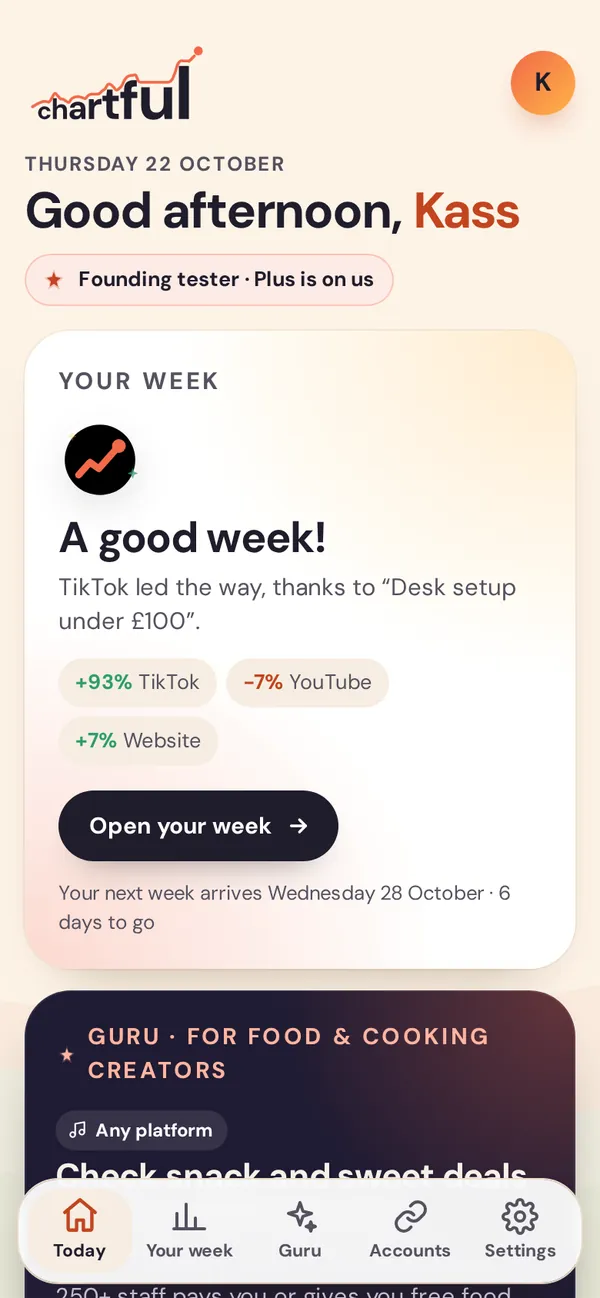
Today: your week at a glance
Open Chartful and you start on Today: how your week went in one card, Guru’s pick of advice for your niche, the best time and length for your next post, and how close you are to your next milestone.
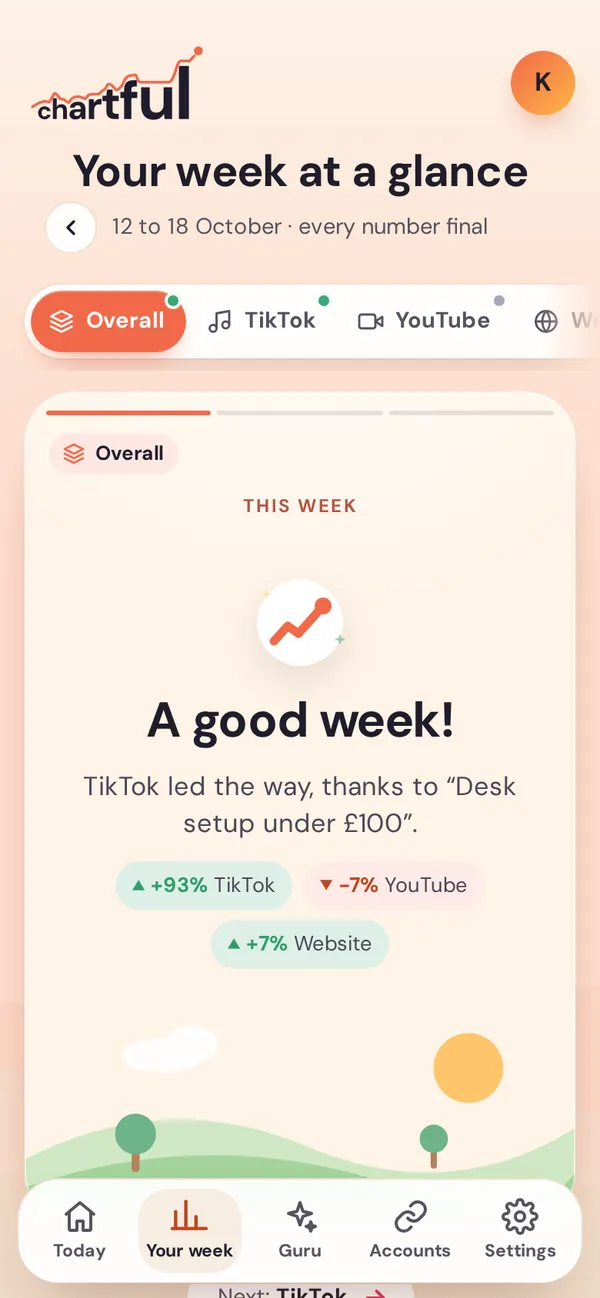
Your week, card by card
Your week starts with an overall summary across everything you’ve linked: the week’s mood, your star, the account that needs a little love, and what to try next.
Then each account gets its own cards: the week in one card, your best day, your top post and why it went that way.
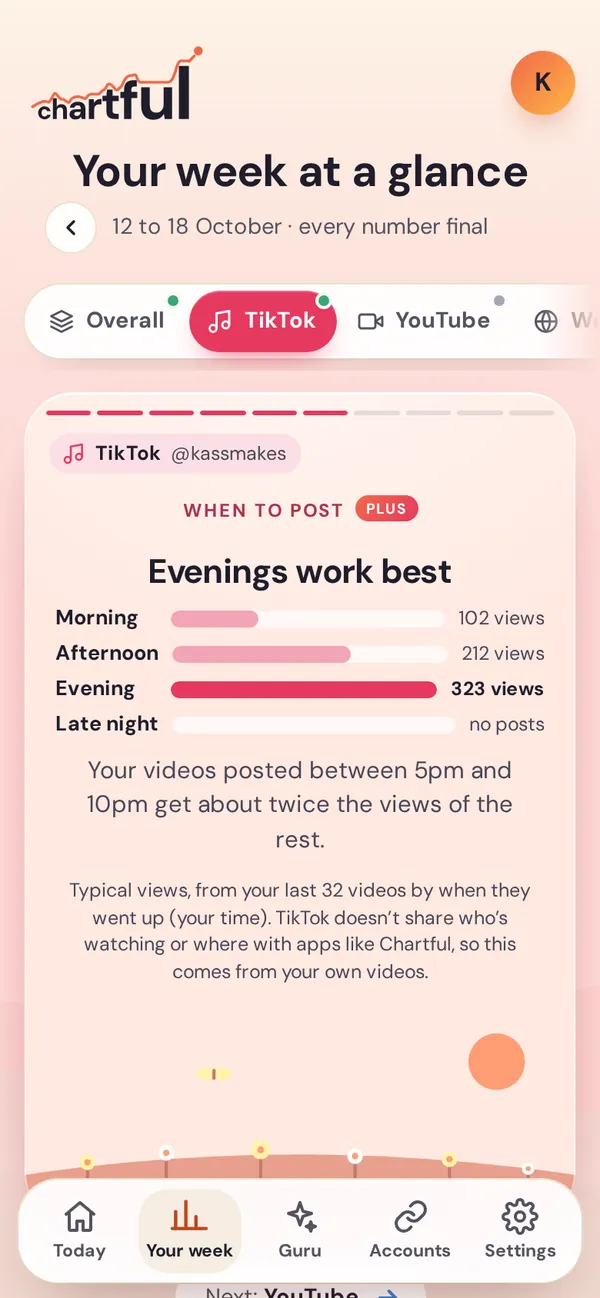
Answers from your own numbers
Each card answers one question, in plain English, from your own posts: when to post, the length that works best for you, what to make next, who’s watching and how people find you.
Every tip says exactly how to do it, like where to tap to schedule a post, so you can try it the same afternoon.
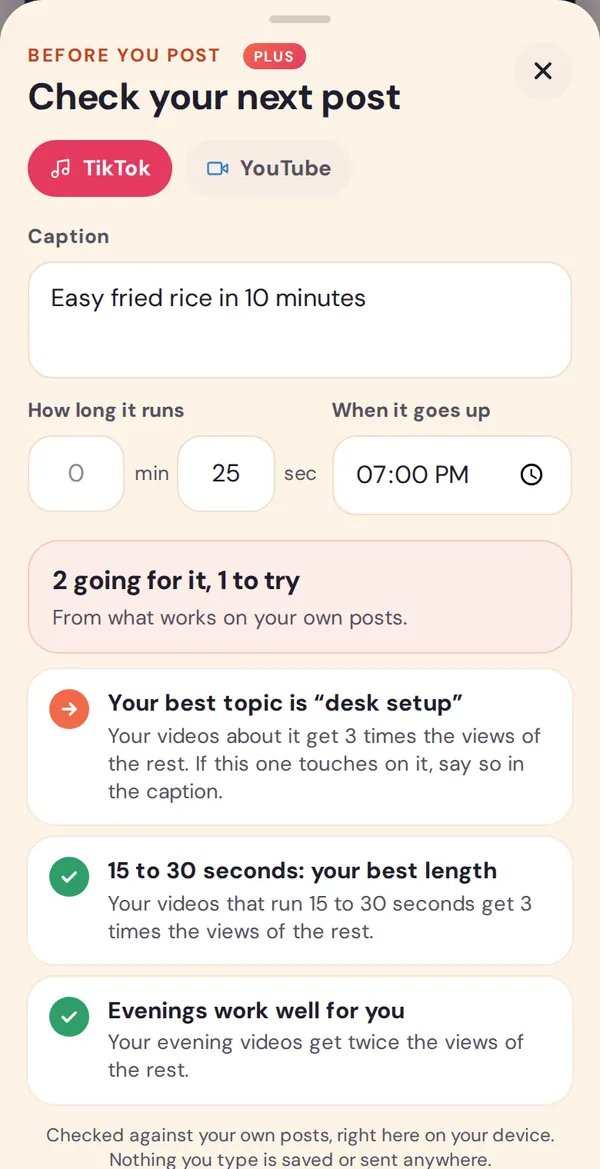
Check a post before you share it
Type the caption or title, how long it runs and when it’ll go up. Chartful checks it against what works for you: your best topics, title styles, length and time of day.
It all happens on your phone. Nothing you type is saved or sent anywhere.
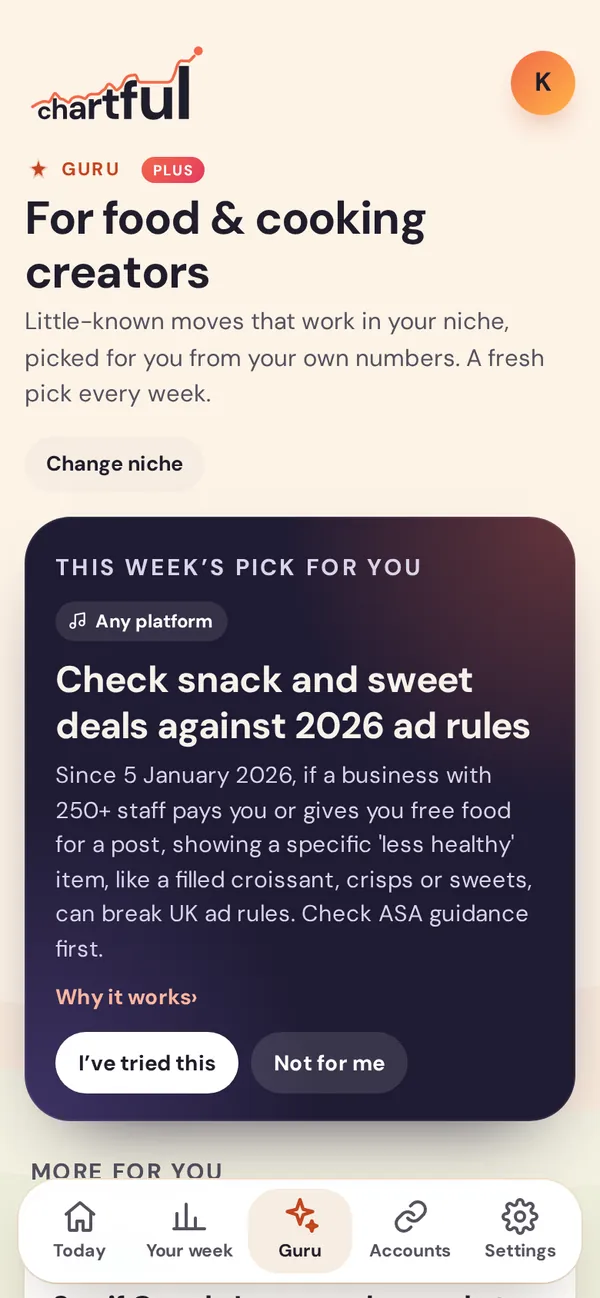
Guru: advice for your niche
Tell Guru what you make, and each week it picks a little-known move that works in your niche, matched to your own numbers.
Every tip is checked against the platforms’ own help pages, keeps to their rules and never promises results.
Chartful with TikTok
Chartful uses TikTok’s official Login Kit, with four read-only permissions. Here’s exactly what happens.
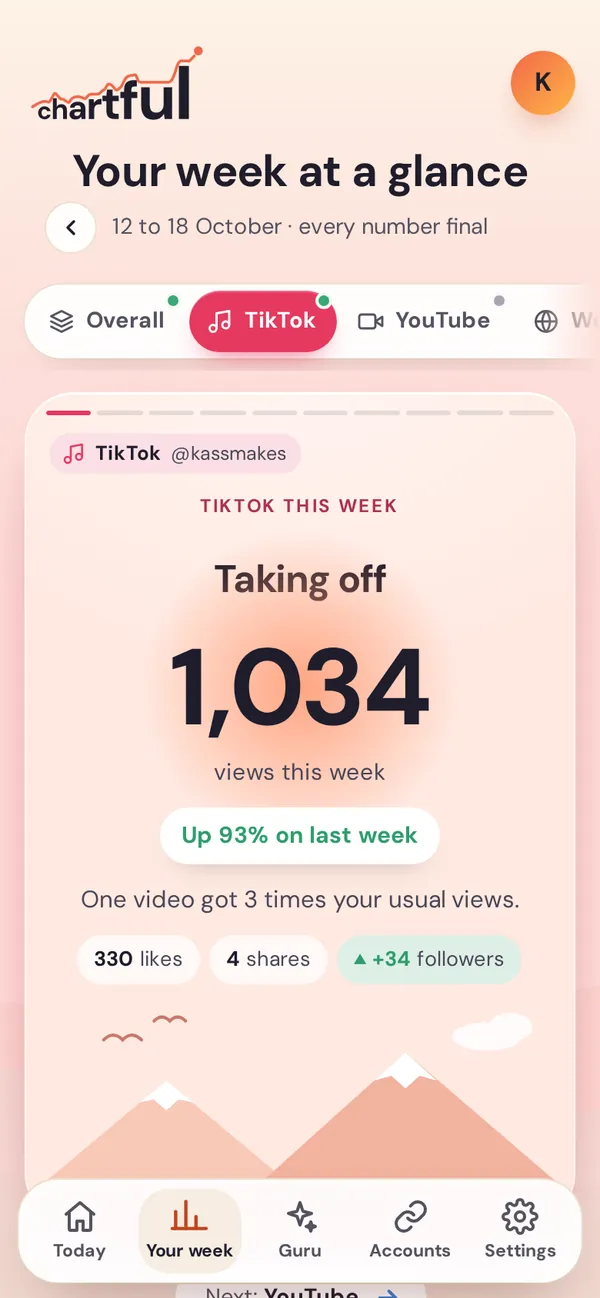
How linking works
- In Chartful, open Accounts and tap Link next to TikTok.
- TikTok opens its own page, shows which account you’re linking and lists what Chartful will be able to see. Log in to TikTok there if it asks. Chartful never sees your password.
- Say yes, and you’re back in Chartful, where your TikTok numbers start to appear within a few minutes.
What Chartful reads from TikTok
- Your display name, username and profile photo, so you can see which account is linked.
- Your follower, following, like and video counts, for your weekly totals and your next follower milestone.
- Your latest public videos, with their titles, links, post dates and lengths, and their view, like, comment and share counts. These give you your best day, top post, when to post, best length and what to make next.
What you get from it
Your TikTok cards every week: the week in one card, your best day, your top video and why it went that way, when to post, your best length, what to make next, your next milestone and one thing to try. With post alerts on, you also get a notification when a new TikTok goes live, and when one takes off.
What Chartful never does
- Post, comment, like, follow or message for you. It can’t: its access is read-only.
- Show your numbers to anyone else, sell them, or use them for ads or to train AI.
- Keep reading after you stop it. Unlink TikTok in Accounts and Chartful deletes your TikTok numbers straight away. You can also remove Chartful in TikTok’s own settings.
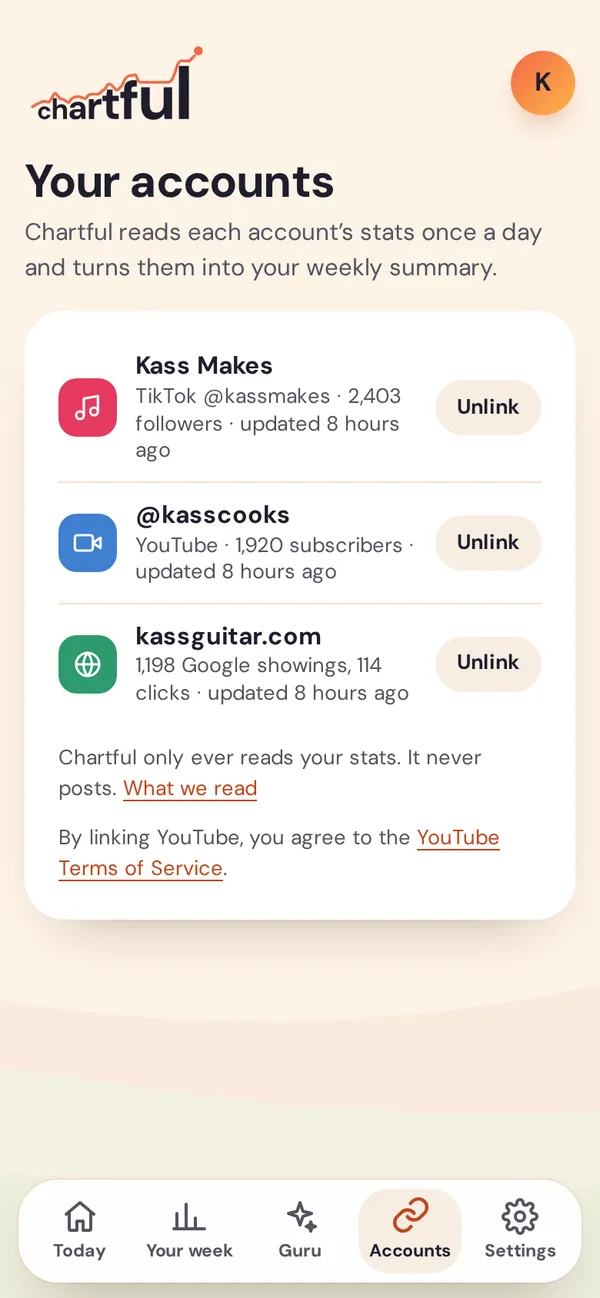
YouTube and your website
YouTube channels and websites link through your Google account, with Google’s read-only permissions. From YouTube: views, watch time, subscribers, the searches that found you, and who’s watching (YouTube’s own figures). From Google Search Console: how often your pages show up on Google, how many people click, and what they searched.
Accounts shows everything you’ve linked and when each was last updated. Unlink any of them with one tap. Everything Chartful reads